
Billing review
Three questions, then a biller looks at your billing.
You tell us what you bill for, roughly how much, and what hurts. We look at your aging by bucket, your denial reasons and your payer mix, then write back with what is worth working and what it would take.
- No software to buy
- No patient data needed to get started
- A written reply by email
Request received
Thanks. Your review request is in.
Reference . Quote it if you write to us about this request.
- A billing specialist reads your answers and replies by email.
- If a look at real claims makes sense, we agree read-only access under a BAA first.
- You get a written summary of what is worth working and what it would take. No commitment.
While you wait: see the sample weekly report or read how switching works. You can also download the sample weekly report (PDF).
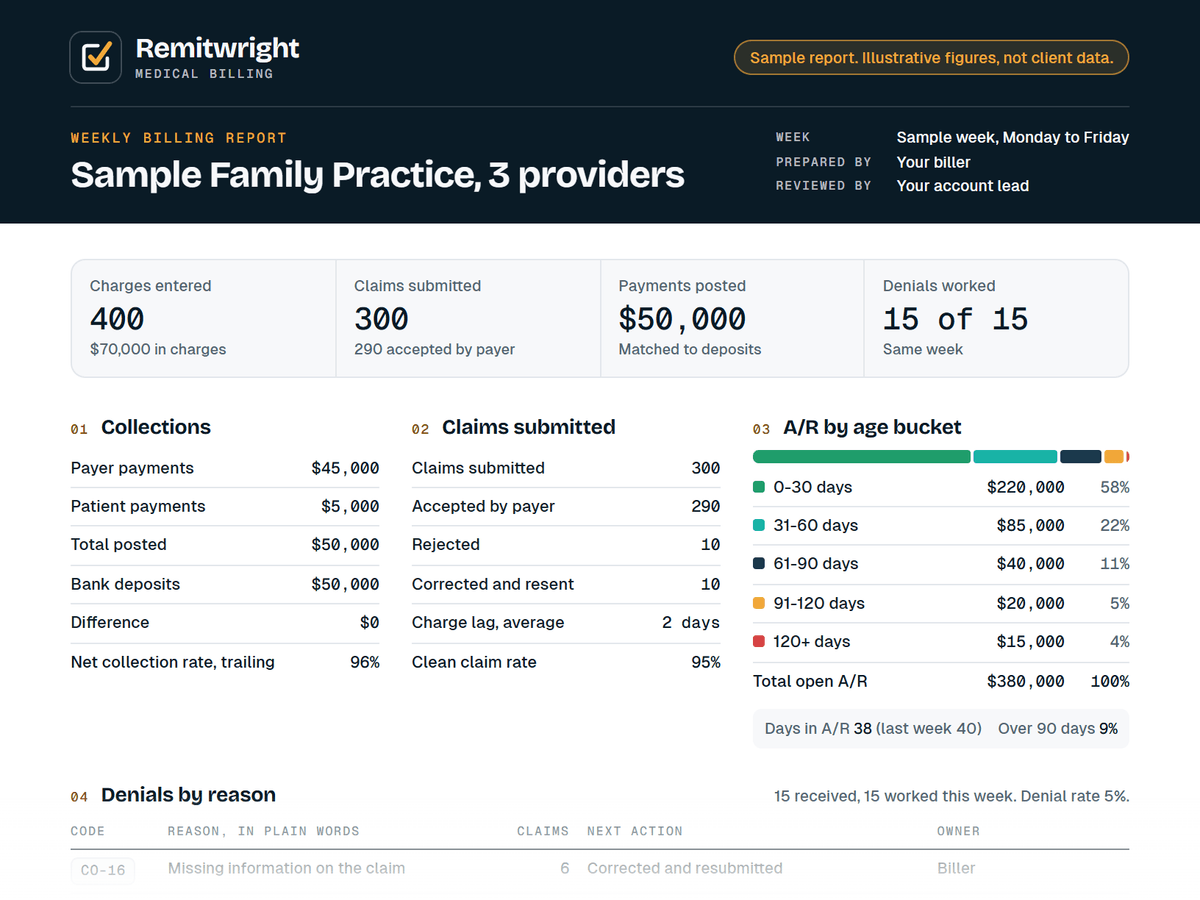
The weekly report
One page every week: what went out, what came in, what is stuck and what your biller is doing about it.
Sample report. Illustrative figures, not client data.
Prefer to write? Email sales@remitwright.com with what you bill for and where claims get stuck. Leave patient details out.
Your data, your systems
Patient data stays in your systems. Your biller works inside your own software, clearinghouse and payer portals and never exports, downloads or stores claim files, remittances or patient lists on Remitwright devices or systems.
- BAA signed before any access
- A user you create and can remove
- MFA on every login that supports it
- No claim files or patient lists exported